febrero de 2025
CloneIt
A cross-platform CLI tool to interactively clone GitHub repositories with TUI and shell script interfaces.
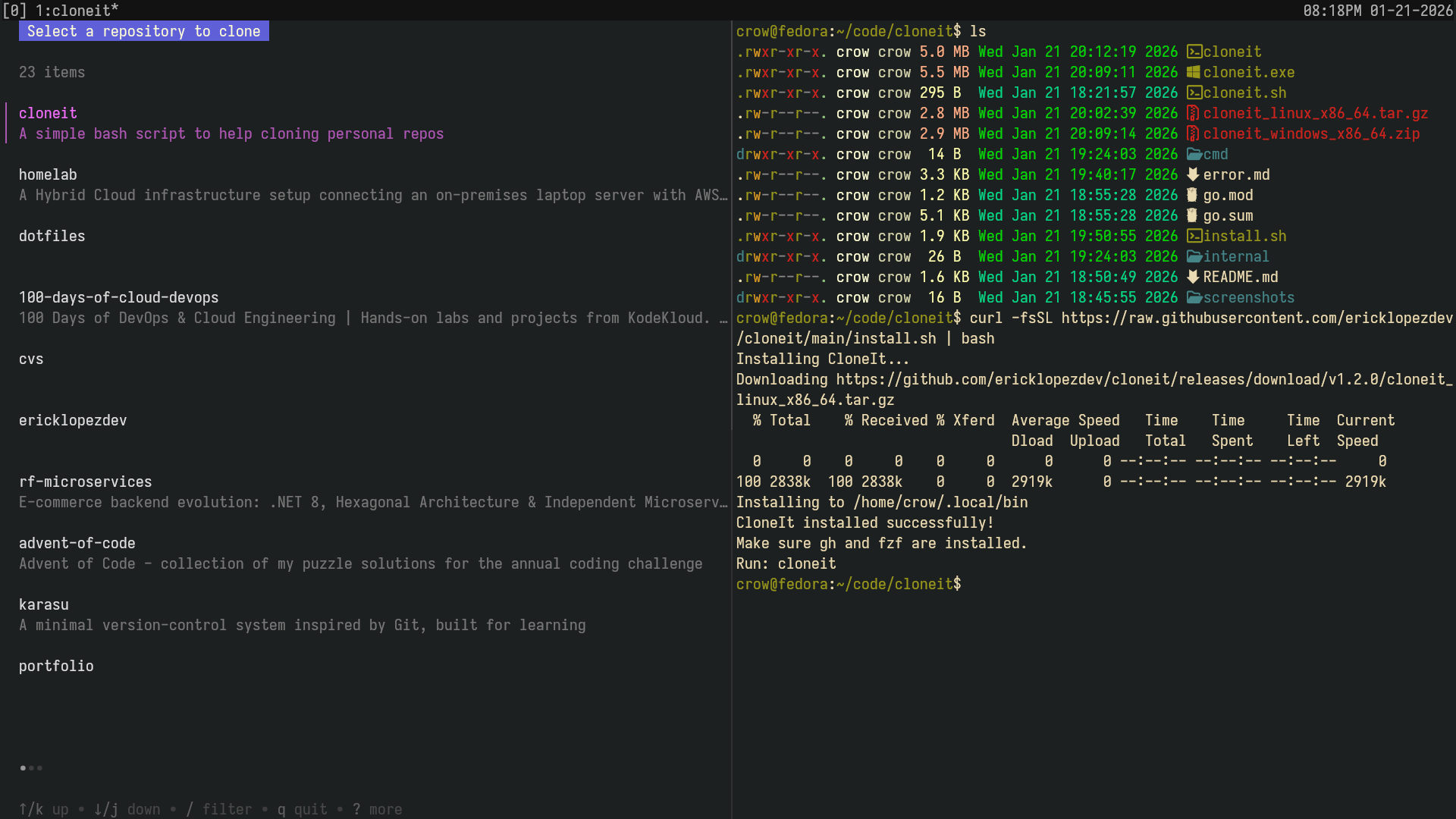
CloneIt
A cross-platform CLI tool to interactively clone GitHub repositories. It offers two interfaces: a Go-based Terminal User Interface (TUI) and a shell script using gh and fzf for selection.
Interfaces
Go TUI (Recommended)
An intuitive terminal user interface built in Go for selecting and cloning repositories.
Usage:
- Ensure you are authenticated with GitHub CLI:
gh auth login - Run:
cloneit - Use the interactive TUI to select and clone a repository
Shell Script with fzf
A lightweight shell script that uses gh and fzf for fuzzy search and selection.
Usage:
- Ensure you are authenticated with GitHub CLI:
gh auth login - Run:
./cloneit.sh - Use fuzzy search to select a repository
- The tool will clone the selected repository to the current directory
Prerequisites
- GitHub CLI (
gh) installed and authenticated fzfinstalled for interactive selectionjqfor JSON processing
Installation
Option 1: Auto-install (Recommended)
curl -fsSL https://raw.githubusercontent.com/ericklopezdev/cloneit/main/install.sh | bashThis will download the latest release binary for your platform and install it to /usr/local/bin or ~/.local/bin.
Option 2: Manual Install
- Go to Releases and download the appropriate archive for your OS and architecture
- Extract the archive
- Move the
cloneitbinary to a directory in your PATH (e.g.,/usr/local/binor~/bin)
For Windows Users
Download the .zip file from releases, extract, and add cloneit.exe to your PATH.
Tech Stack
- Language: Go
- CLI Tools: GitHub CLI (gh), fzf
- Utilities: jq for JSON processing